The Daily Briefing — “Big Picture” Text Alerts
SMS subscription
How to subscribe
To receive the daily “Big Picture” market summary by text, sign in to your Daily Briefing account and open Account → Daily SMS Summary. Enter your mobile number, check the consent box, and enter the one-time verification code we text you. Your subscription is active once the code is confirmed (double opt-in).
Don’t have an account yet? Sign in or create one to get started. You can turn texts off any time from the same screen, or by replying STOP.
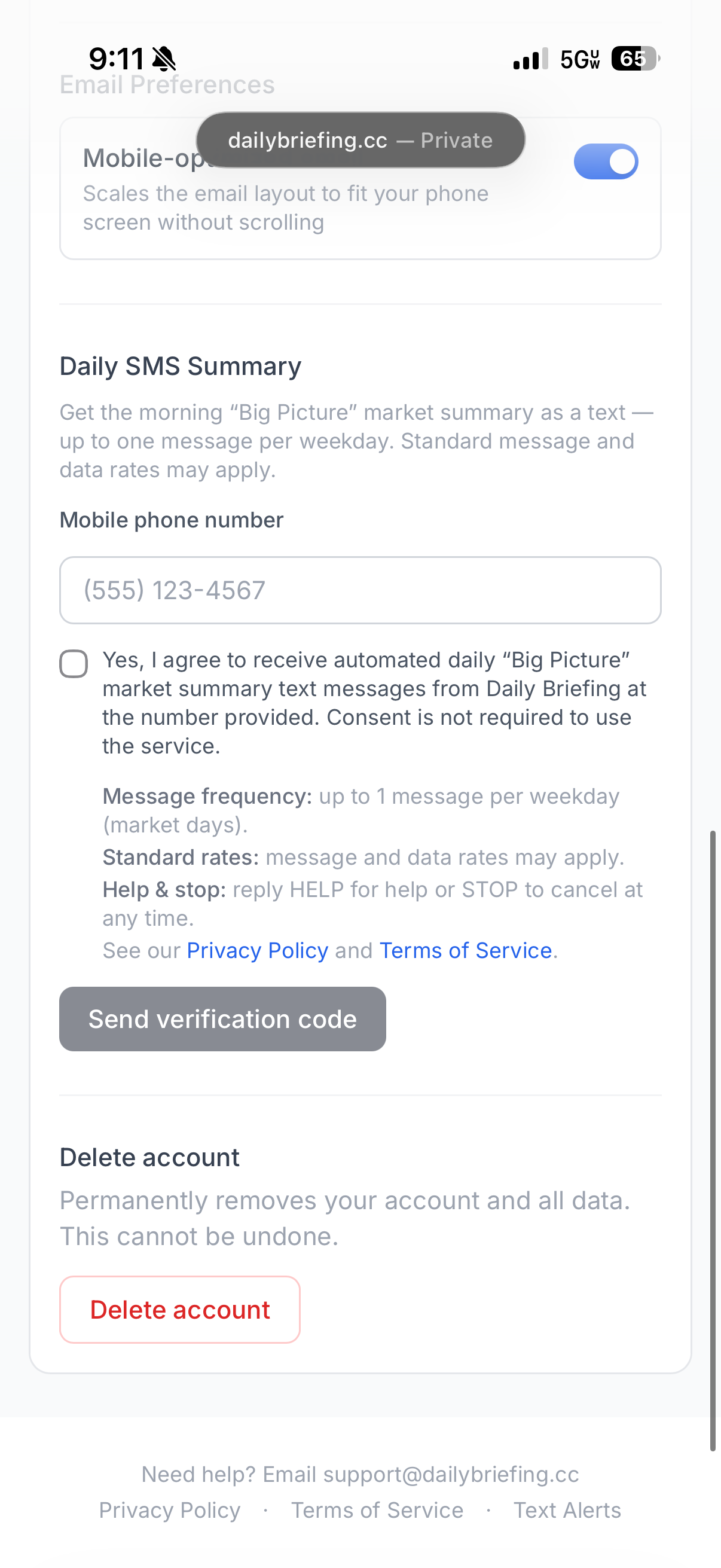
The opt-in screen
This is the consent screen inside your account (Account → Daily SMS Summary). The consent checkbox is unchecked by default — you must actively check it, and enter your mobile number, before the “Send verification code” button is enabled. After you submit, we text a one-time code that you enter on this screen to confirm (double opt-in).
What you’ll receive
A single plain-text “Big Picture” message summarizing that morning’s market and financial-news conditions. Messages are informational only and do not constitute financial advice.
When your subscription is confirmed we send a one-time welcome text with a contact card attached, so you can save the number in one tap and recognize the sender when the daily message arrives.
Message frequency
Message frequency varies but is typically up to one message per weekday (market days).
Cost
The service is free, but message and data rates may apply depending on your mobile carrier and plan. Consent to receive texts is not required to use Daily Briefing.
Opt out & help
You can cancel at any time by replying STOP to any message; you will receive no further texts. Reply HELP for assistance, or email support@dailybriefing.cc.
Your privacy
We do not sell, rent, or share your mobile number or SMS opt-in information with any third parties or affiliates for their marketing or promotional purposes. See our Privacy Policy and Terms of Service for details.